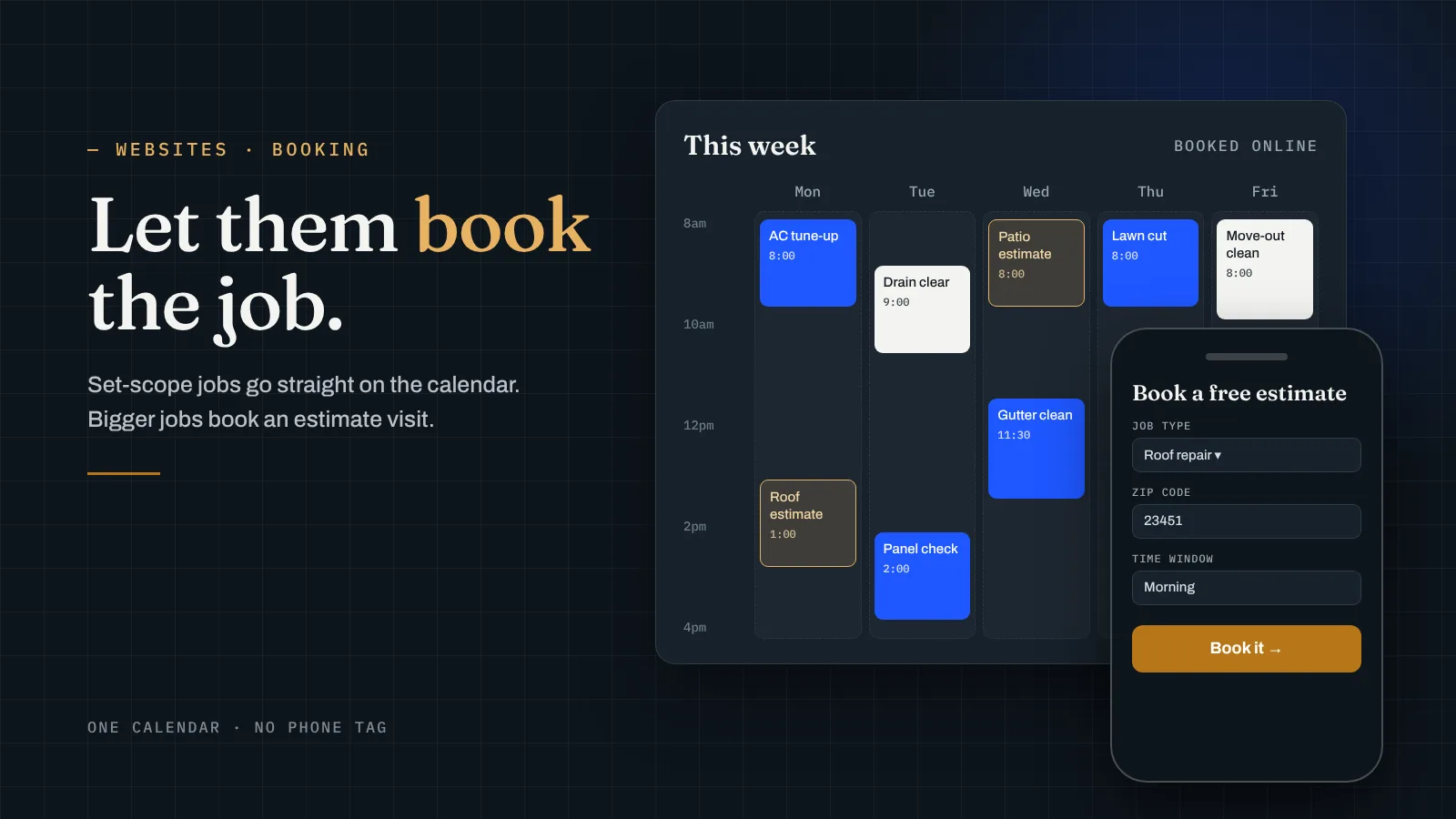
Most contractor websites end the same way: a phone number and a “contact us” form that goes to an inbox nobody checks until Friday. A booking system changes that. The customer picks a time, you get the job on your calendar, and nobody plays phone tag. I run a local service business myself, and online booking was one of the first things I put on its site. Here’s how I’d set it up for a contractor.
Should a contractor have online booking, or just a quote form?
It depends on the kind of job. I split it into two groups.
- Jobs with a set scope. An AC tune-up, a drain clearing, a panel inspection, gutter cleaning, a weekly lawn cut, a move-out clean. You already know roughly how long these take and what they cost, so let people book the actual job.
- Jobs you have to see first. A roof replacement, a kitchen remodel, a new patio. Nobody books a $20,000 job off a calendar. But they will book the estimate visit. So the button says “Book a free estimate,” and the calendar shows the windows you’re willing to drive out.
Most contractors have both. A plumber might let people book a water heater flush outright and book an estimate for a full repipe. That’s fine. The site can have a booking button and a quote form side by side, as long as each one is clear about what happens next.
The one thing I’d avoid is a site that only has a contact form. People searching at 9pm with a leaking pipe don’t want to wait and see if you write back. They want to know they’re on the schedule.
What booking system should I use?
Use the one that already runs your jobs. That’s the whole rule.
If you schedule and invoice in job software like Jobber, Housecall Pro or Square, most of them have an online booking feature built in. Turn that on and connect it to your website. The booking lands right where your crew already looks, with the customer’s name, address and job notes filled in.
What you don’t want is a separate booking app on the website that doesn’t talk to your real schedule. Then you’re running two calendars, and sooner or later someone books a slot you already gave away. That’s worse than no booking at all, because now you’re calling a customer to cancel on them before you’ve even met.
If you don’t use any job software yet and you’re a one-truck operation, a simple booking tool tied to your phone’s calendar is enough to start. Just pick one you’ll actually keep up to date.
What should the booking form ask?
Enough to show up ready, and not one question more. Every extra field is a chance for someone to give up. For most trades I’d ask:
- What kind of job. A short dropdown, not a blank box. “Repair,” “Install,” “Estimate,” or your actual service names.
- The address or zip code. This also tells you right away if they’re outside your service area.
- A photo, optional. A picture of the leak, the roof damage or the overgrown yard saves you a lot of questions and sometimes a wasted trip.
- A time window. Morning or afternoon is usually better than exact times for field work.
- Name, phone and email. So you can confirm and send a reminder.
Things like gate codes, pets and parking can go in one optional notes box. And if a job needs a deposit or a trip fee, say so on the form before they hit submit, not on the phone after.
Where should the booking button go on the site?
Everywhere someone might decide to hire you. In practice that means:
- The top of every page, next to your phone number. On a phone, I keep both stuck to the screen as people scroll.
- Every service page, right after you explain the job. If someone just read about your furnace repair, the button should say “Book a furnace repair,” not just “Contact.”
- Every city page. Someone who searched for a roofer in their town and landed on that page shouldn’t have to hunt for the next step.
- Your Google Business Profile. You can add a booking link there too, so people can book straight from the map. I wrote about setting that profile up in how to get your business on Google Maps.
Keep the phone number right beside the button. Some people will always want to call, and for an emergency job they should. Booking is for everyone who’d rather not.
Will online booking actually get me more jobs?
Booking doesn’t create demand. If nobody finds your site, a booking button won’t change that. That’s what SEO and your Google Business Profile are for.
What booking does is stop you from losing people who already found you. The homeowner comparing three companies at night, the property manager who hates phone calls, the person who called, got voicemail and moved on. Those are jobs you already paid to attract.
For what it’s worth, my own site has had online booking since the day it launched. Before that, my “website” was a Google Doc with a QR code, and people thought it looked like a scam. After the real site went live, I had a customer in the first week and three more orders two weeks later. I can’t credit the booking button alone for that, but a real site with a clear way to book beat a Google Doc by a mile.
To see if it’s worth it for you, take what one average job leaves you after costs. Call it $X. Divide the first-year cost of the site by $X, and that’s how many extra bookings it needs to bring in. Here’s a made-up example: say you run an HVAC company and an average service call leaves you $200. A Level build with booking integration plus the Keep Level care plan is $2,947 for the first year ($1,999 + $948). $2,947 ÷ $200 is about 14.7, so fifteen extra bookings over the year, a little more than one a month, covers it. For bigger-ticket trades it’s a lot fewer. If you want the full cost breakdown, I covered it in how much a contractor website costs.
The short version
- Let people book set-scope jobs directly, and book an estimate visit for bigger jobs.
- Use the booking feature in the job software you already use, so there’s only one calendar.
- Keep the form short: job type, address, optional photo, time window, contact info.
- Put the booking button at the top of every page, on every service and city page, and on your Google Business Profile.
- Keep your phone number right next to it.
- Booking won’t bring traffic, but it keeps the people you already attracted from going elsewhere.
Want a contractor site with booking built in?
This is what we do at Level Digital Studio for contractors, plumbers, HVAC companies, roofers, electricians, landscapers, cleaning companies and other local service businesses. We build it, connect it to your booking system, and hand it to you ready to take jobs. You own the site and the domain.
- Website builds. Level is $1,999 one-time and includes booking integration (Square, Jobber, Housecall Pro), up to 15 pages with 5 city pages, a Google reviews feed and call tracking. Plumb is $899 for a focused site up to 7 pages with a quote form and Google Business Profile setup. True is $3,999 for up to 30 pages and 15 city pages.
- No build fee up front. The Foundation bundle is $199 a month on a 12-month term: a Plumb-level site, hosting and care, and Google Business Profile management.
- Getting found. Our SEO plans are $299, $799 and $1,299 a month, month to month, so the people who book can find you in the first place.
- Calls sooner. Google Ads management is from $299 a month plus ad spend, and Google Local Services Ads management is from $250 a month.
- Care plans. Keep Level is $79 a month for hosting, backups, updates and an hour of edits. Keep Level+ is $99 a month with more edits, speed monitoring and a quarterly SEO check-up. Cancel and keep everything.
- Already have a site? A $149 site audit tells you in writing whether booking can be added to what you have or whether to rebuild, and it’s credited toward a build if you go ahead.
- Extras. Extra city pages are $149 each, branded email setup is $79, and a logo and brand kit starts at $350.
Or start with the free site read below and I’ll tell you how I’d set up booking for your trade.
Questions business owners ask me
Should a contractor website have online booking?
Yes for jobs with a set scope, like tune-ups, drain clearing or cleanings. For big jobs like roofs or remodels, let people book the estimate visit instead.
Which booking system works best for contractors?
The one that already runs your jobs. Most job software has online booking built in, so connect that to your site and keep one calendar.
What should a contractor booking form ask?
Job type, address or zip code, an optional photo, a time window, and name, phone and email. Put anything else in one optional notes box.
How much does a contractor website with booking cost?
Our Level build, which includes booking integration, is $1,999 one-time. The Keep Level care plan is $79 a month after that.
Want booking set up on your site?
Send me your trade, the towns you cover, what software you schedule jobs in and your current site, or “none yet.” I’ll tell you which jobs I’d let people book online, which need an estimate first, and which build fits.
Get a free site read →