Nobody browses plumbing websites for fun. They land on yours because water is coming through the ceiling, the drain is backing up, or the water heater just quit. So a plumber’s site has one job: get that person to call you before they hit the back button and call the next guy. I run a local service business myself and built its site from scratch, and now I build sites for plumbers and other trades. Here’s how I’d design a plumbing website.
What should a plumber’s website show the second it loads?
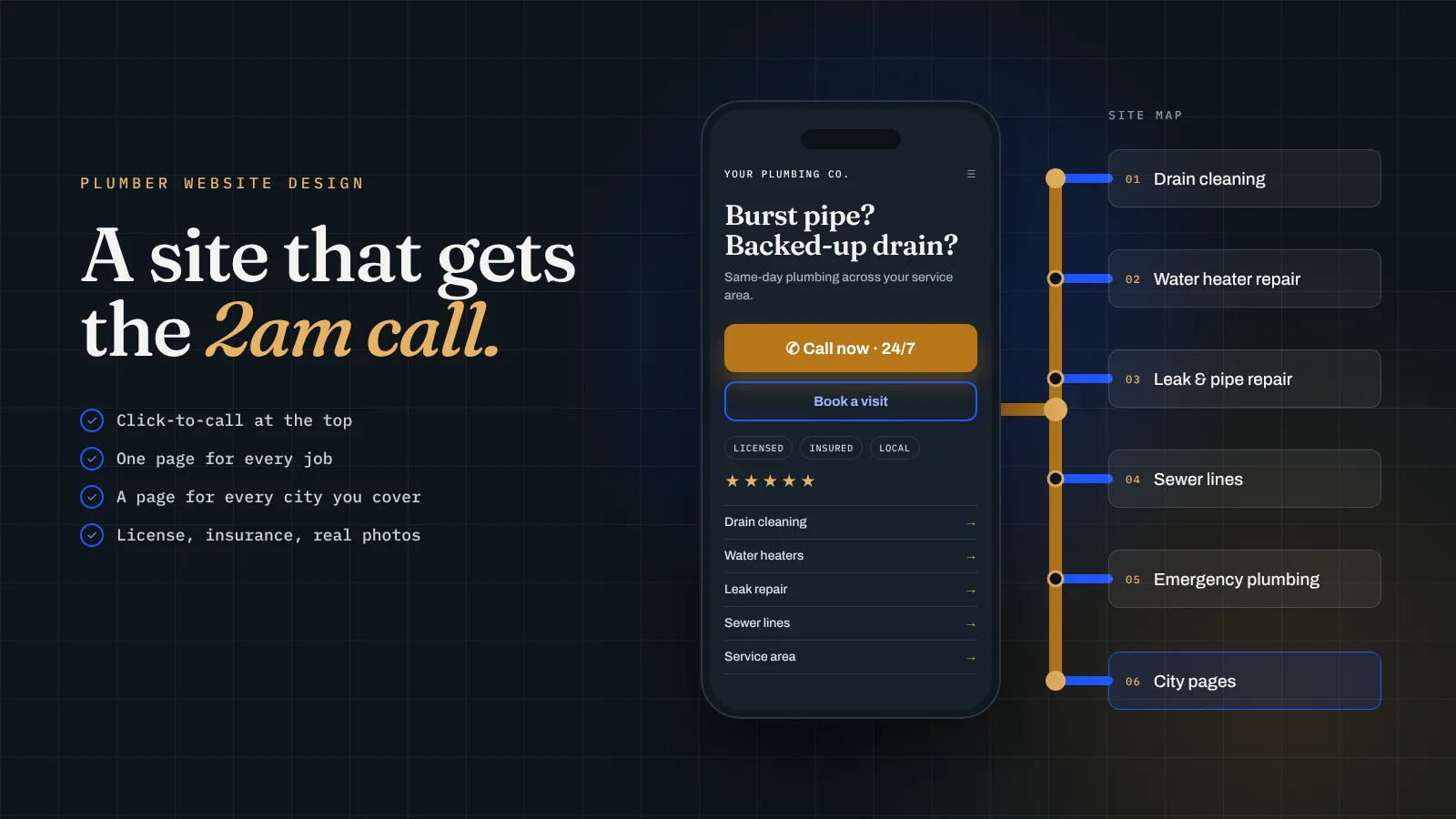
Picture who’s looking at it. Usually someone on a phone, standing in a wet kitchen, a little panicked. They aren’t going to scroll for long. In the first screen, before they move a finger, they should see:
- Your phone number, big, with a button that dials it when they tap it.
- What you fix in plain words: drains, leaks, water heaters, sewer lines.
- Where you work. “Serving Virginia Beach, Chesapeake and Norfolk” tells them right away whether to keep reading.
- When you’re available. If you take emergency calls, say so. If you don’t, say your hours. Don’t make them guess.
Keep the call button stuck to the bottom of the screen on mobile so it’s always one tap away, no matter how far down they go.
What doesn’t belong up there: a slideshow, a stock photo of a smiling guy holding a wrench, or a paragraph about your company values. All of that pushes the phone number further down the page.
Should my site push phone calls, online booking or a quote form?
All three, for different jobs. Plumbing work splits pretty cleanly:
- Emergencies like a burst pipe, no hot water or a sewer backup. These people want to talk to a human right now. Make calling the obvious move.
- Routine visits like a dripping faucet, a running toilet or a drain that’s slow but working. A lot of people would rather pick a time slot at 10pm than call during work hours. Online booking catches those.
- Bigger projects like a water heater replacement, repiping or a bathroom remodel. These need a quote. A short form that asks for the address, the job, a photo and the timeline saves you a wasted trip.
Before I had a real website, I ran my business off a Google Doc with a QR code. People thought it looked like a scam. Once the real site went live with a proper way to book, I had a customer in the first week. People want an easy, normal-looking way to reach you, and they’ll pick whichever one fits their situation. If you want the booking side set up properly, I walked through it in contractor website with a booking system.
What pages does a plumbing website actually need?
People search for the problem, not your company. Nobody types “plumbing company.” They type “water heater repair Chesapeake” or “clogged drain near me.” So you want a page for each kind of job you want more of:
- Drain cleaning
- Water heater repair and replacement (tank and tankless, if you do both)
- Leak and pipe repair
- Sewer line repair and camera inspection
- Toilet, faucet and fixture repair
- Emergency plumbing
Each page should say what the problem looks like, what you do about it, what affects the price, and how to book or call. Short and useful beats long and vague.
Then add a page for each city you work in. The site I built for my own business has 9 city and service-area pages, because that’s how my customers search. Write each one for real: the neighborhoods you cover there and how quickly you can usually get out. Don’t copy the same paragraph and swap the city name. I went deeper on that in local SEO for contractors in Virginia Beach.
Round it out with an about page with your real face on it, a reviews section, and a contact page. That’s a plumbing site.
How do I make a plumbing site people trust enough to call?
You’re asking a stranger to let you into their house, sometimes at night. Your site has to make that feel safe. The things that do it:
- Your license and insurance, stated clearly. Put your license number on the site if your state issues one.
- Real photos. Your truck, your crew, jobs you finished. Even phone photos beat stock pictures, because people can tell.
- Reviews where people can see them, ideally pulled straight from your Google profile so they stay current.
- Straight talk on pricing. You don’t have to publish a full price list. But if you charge a trip fee, say so. If you give free estimates on water heaters, say that. A fee nobody mentioned is one of the fastest ways to earn a bad review.
- A local feel. Mention the area by name and show your face. People would rather hire someone local than a call center.
And the site itself has to look like a real business. Fast, clean, works on a phone. A slow site that looks ten years old makes people wonder if you’re still open.
How much should a plumber pay for a website, and how do I know it’s working?
Here are our prices so you have real numbers. Plumb is $899 one-time for a focused site up to 7 pages with Google Business Profile setup, which covers a home page, your main services and a contact page. Level is $1,999 for up to 15 pages, including 5 city pages, booking integration, a Google reviews feed and call tracking. That’s the one I’d point most plumbers to. True is $3,999 for up to 30 pages and 15 city pages, for a company covering a lot of ground. If you’re comparing quotes, I broke down what drives the price in how much a contractor website costs.
To know if it’s paying off, track calls. Call tracking gives the website its own number so you can see how many calls came from it, and from which page. Without it you’re guessing.
The payback math is simple. Take what an average job leaves you after costs. Call it $X. Divide the price of the site by $X, and that’s how many jobs it takes to pay for itself. A made-up example: say an average service call leaves you $250. A $1,999 Level build ÷ $250 is about 8, so eight jobs pays for the whole site. One water heater replacement would cover a good chunk of that by itself.
If you need calls faster than a new site can bring them, run ads alongside it. I spent about $1,000 a month on ads for my own business and it brought back roughly $4,000 to $5,000 a month, but it stopped the day I stopped paying. If you need work now, I’d put about 70% of your budget into ads and 30% into SEO. If you’re steady, flip it.
The short version
- Phone number, services, service area and hours, all on the first screen.
- A call button that stays on screen on mobile.
- Calls for emergencies, booking for routine visits, a quote form for big jobs.
- One page per job you want more of, and one real page per city you work in.
- License, insurance, real photos, reviews and honest notes on fees.
- Call tracking, so you know what the site actually brings in.
Want a plumbing website built for you?
This is what we do at Level Digital Studio for plumbers, HVAC companies, roofers, electricians, contractors, landscapers, cleaning companies and other local service businesses. We build it, connect it to your Google profile and your booking or job software, and hand it to you ready to take calls. You own the site and the domain.
- Website builds. Plumb is $899 one-time for up to 7 pages with Google Business Profile setup. Level is $1,999 for up to 15 pages with 5 city pages, booking integration (Square, Jobber, Housecall Pro), a Google reviews feed and call tracking. True is $3,999 for up to 30 pages and 15 city pages. Extra city pages are $149 each.
- No build fee up front. The Foundation bundle is $199 a month on a 12-month term: a Plumb-level site, hosting and care, and Google Business Profile management.
- SEO management. Our SEO plans are $299, $799 and $1,299 a month, month to month with no setup fees. Starter covers Google Business Profile optimization, 4 profile posts a month, citation cleanup and review request templates. Growth adds a review generation system, 2 new pages a month and 2 local links a month.
- Calls while SEO builds. Google Ads management is from $299 a month plus ad spend, and Local Services Ads management is from $250 a month.
- Care plans. Keep Level is $79 a month for hosting, backups, updates and an hour of edits. Keep Level+ is $99 a month and adds a quarterly SEO check-up. Cancel and keep everything.
- Not sure where you stand? A $149 site audit includes a Google Business Profile score and tells you what to fix first. It’s credited toward a build if you go ahead.
- Extras. Blog content is $199 a month, branded email setup is $79, and a logo and brand kit starts at $350.
Or start with the free site read below and I’ll tell you what I’d change first.
Questions business owners ask me
What should be on a plumber’s home page?
Your phone number with a tap-to-call button, the jobs you do, the cities you serve and your hours, all visible before anyone scrolls.
Does a plumbing website need online booking?
For routine visits, yes. Emergencies still want to call, and big jobs need a quote form, so give people all three options.
How many pages does a plumbing website need?
One page for each main service you want more of, one real page for each city you work in, plus about, reviews and contact pages.
How much does a plumber website cost?
Our builds are $899, $1,999 and $3,999 one-time, or $199 a month on the Foundation bundle with no upfront build fee.
Want to know what your plumbing site is missing?
Send me the cities you work in and your current site, or “none yet.” I’ll tell you what’s costing you calls, which pages I’d build first, and which package fits.
Get a free site read →