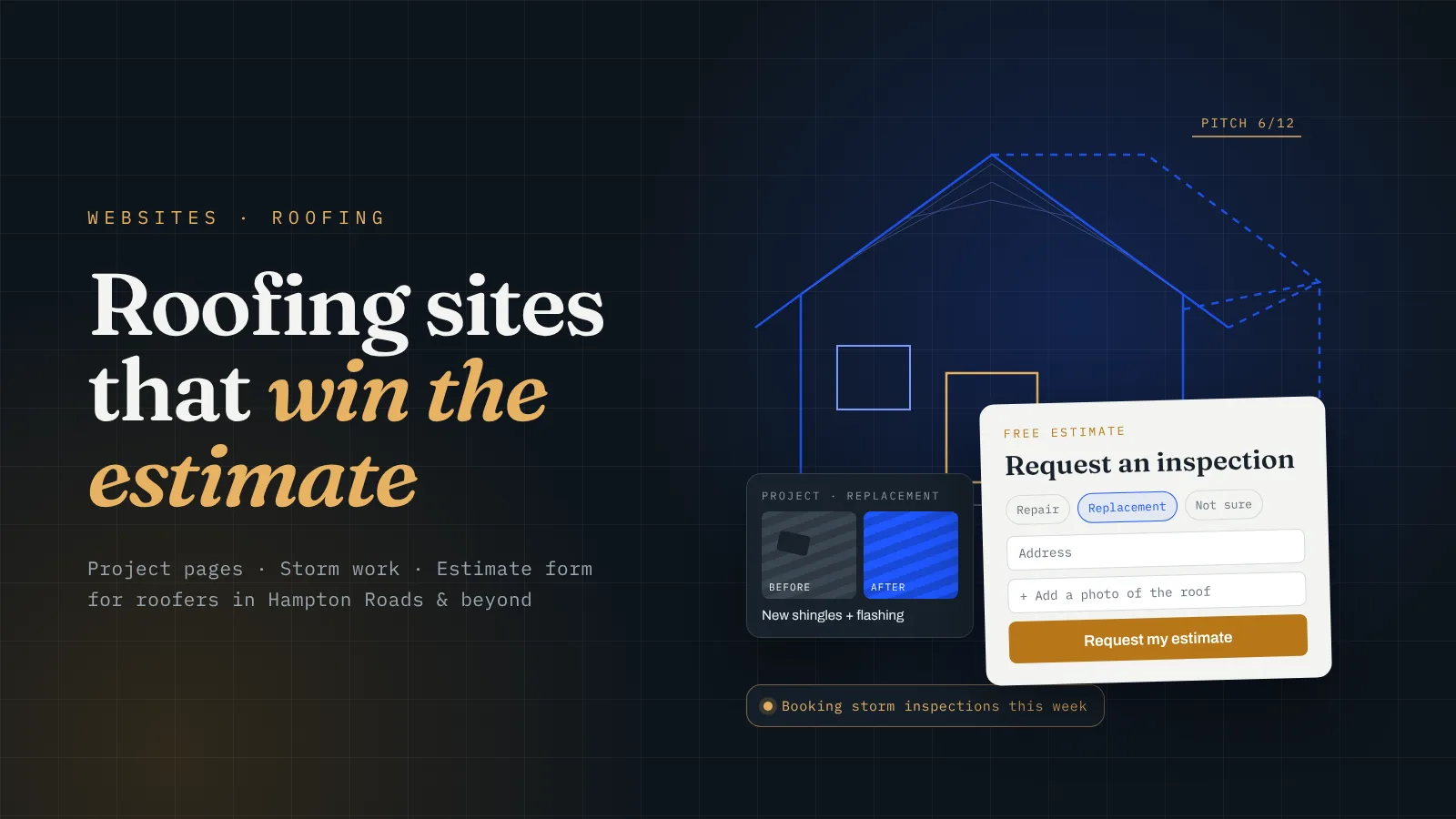
A roof is one of the biggest checks a homeowner ever writes, and most of them have never hired a roofer before. So they go slow. They look at your site, close it, look at two others, then come back. A roofing website has to win that comparison. I run a local service business myself and built its site from scratch, and now I build sites for roofers and other trades. Here’s how I’d design a roofing company website.
What does a roofing website need that other trade sites don’t?
Most trade sites are built for a quick call. A plumber’s customer has water on the floor and wants someone now. A roofing customer is usually somewhere else: they noticed a stain on the ceiling, a neighbor got a new roof, or an inspector flagged something before a sale. They have time to compare, and they will.
That changes what the site has to do. It still needs the phone number up top with a tap-to-call button, the jobs you do and the cities you serve. But it also has to answer the questions people ask before they let anyone on their roof:
- Do they do my kind of roof? Asphalt shingle, metal, flat or low-slope, repairs vs full replacement. Say it plainly.
- Have they done jobs like mine near me? That’s what the project gallery is for.
- Are they going to be around if something goes wrong? License, insurance, the warranty you offer, and how long you’ve been doing this.
- What happens after I reach out? A short “how it works” section: you inspect, you send a written estimate, you schedule the job.
If the site answers those four, the homeowner doesn’t need to go back to the other two tabs.
How should I show my work on a roofing website?
Photos sell roofing more than anything you write. The problem is most roofers dump fifty random shots into one gallery and call it done. That’s better than nothing, but it doesn’t help someone picture their own house.
What works better is a short project page for each job you’re proud of:
- A before photo and an after photo, from the same angle if you can.
- What the problem was, in one or two lines.
- What you installed: the material, the color, anything special like new flashing or ventilation.
- The neighborhood or city. Not the street address, just enough that a neighbor recognizes it.
Ten of those beat a hundred loose photos. They also help you show up in search, because each one is a real page about a real roofing job in a real place. Phone photos are fine. Get in the habit of snapping one before you start and one when the crew packs up.
How do I handle storm damage and leak calls on my site?
Roofing has two speeds. Most of the year it’s planned replacements and repairs. Then a storm rolls through and everybody needs someone the same week. Here in Hampton Roads that means hurricane season and nor’easters, but every region has its version.
Your site should be ready for the busy speed before it shows up:
- A storm damage page that says what you do after a storm: inspections, tarping, repairs, and whether you’ll walk the homeowner through their insurance claim. Only say what you actually do.
- An emergency leak page with the phone number front and center. Someone with water coming through the ceiling wants to call, not fill out a form.
- A banner you can switch on after a big storm, like “Booking storm inspections in Chesapeake and Suffolk this week.” It takes a minute to turn on and it tells people you’re local and available.
One more thing: after a big storm, out-of-town crews show up knocking on doors. A site that clearly shows a local address, local jobs and a real face helps homeowners pick the roofer who’ll still be here next year.
Should my roofing site have an estimate form and financing info?
Yes to both. Big jobs start with an estimate, so the estimate request should be the main button on every page that isn’t an emergency page. Keep the form short and ask what you actually need before an inspection:
- Name, phone, address
- Repair, replacement or not sure
- Roof type, if they know it
- A spot to upload a photo or two
- Whether it’s an insurance claim
That’s enough to know if it’s worth the drive and what to bring. A form that asks twenty questions gets abandoned halfway. Before I had a real website, I ran my business off a Google Doc with a QR code, and people thought it looked like a scam. The real site, with a clean way to reach me, brought a customer in the first week. People reach out when it’s easy and it looks legit.
On financing: if you offer it, put it on the site. A full replacement is a number a lot of families can’t pay in one shot, and “financing available” next to the estimate button can keep someone from talking themselves out of calling. If you don’t offer it, skip it. Don’t hint at something you can’t deliver.
How much should a roofing website cost, and how do I know it’s paying off?
Here are our prices so you have real numbers. Plumb is $899 one-time for a focused site up to 7 pages with Google Business Profile setup. That works for a small crew doing repairs in one or two cities. Level is $1,999 for up to 15 pages, including 5 city pages, booking integration, a Google reviews feed and call tracking. That’s the one I’d point most roofers to, because you need room for service pages, a storm page and project pages. True is $3,999 for up to 30 pages and 15 city pages, for a company working across a whole region. If you’re comparing quotes, I broke down what drives the price in how much a contractor website costs.
The payback math for roofing is friendlier than most trades. Take what an average job leaves you after costs. Call it $X. Divide the price of the site by $X. That’s how many jobs it takes to pay for itself. A made-up example: if an average repair leaves you $500, a $1,999 Level build ÷ $500 is about 4 jobs. A single full replacement might cover it on its own.
To know it’s working, track two things: calls from the site (call tracking gives the site its own number) and estimate requests from the form. If neither is moving after a few months, something on the site or in your Google listing needs fixing. I wrote about getting found in the first place in local SEO for contractors in Virginia Beach.
If you need estimates faster than search can bring them, run ads next to it. I spent about $1,000 a month on ads for my own business and got back roughly $4,000 to $5,000 a month, but it stopped the day I stopped paying. If you need work now, I’d put about 70% of your budget into ads and 30% into SEO. If you’re steady, flip it.
The short version
- Phone, services, service area and a clear estimate button on the first screen.
- Say what roofs you do, what warranty you offer, and how the process works.
- A short project page for each job you’re proud of, with before and after photos.
- A storm damage page and an emergency leak page, ready before storm season.
- A short estimate form with a photo upload, plus financing if you offer it.
- Call tracking and form tracking, so you know what the site brings in.
Want a roofing website built for you?
This is what we do at Level Digital Studio for roofers, contractors, plumbers, HVAC companies, electricians, landscapers, cleaning companies and other local service businesses, in Hampton Roads and across the US. We build it, connect it to your Google profile and your job software, and hand it to you ready to take calls and estimate requests. You own the site and the domain.
- Website builds. Plumb is $899 one-time for up to 7 pages with Google Business Profile setup. Level is $1,999 for up to 15 pages with 5 city pages, booking integration (Square, Jobber, Housecall Pro), a Google reviews feed and call tracking. True is $3,999 for up to 30 pages and 15 city pages. Extra city pages are $149 each.
- No build fee up front. The Foundation bundle is $199 a month on a 12-month term: a Plumb-level site, hosting and care, and Google Business Profile management.
- SEO management. Our SEO plans are $299, $799 and $1,299 a month, month to month with no setup fees. Growth and Authority come with our Page-One Promise on agreed local keywords.
- Estimates while SEO builds. Google Ads management is from $299 a month plus ad spend, and Local Services Ads management is from $250 a month.
- Care plans. Keep Level is $79 a month ($948 for a year) for hosting, backups, updates and an hour of edits, which is handy for adding new project pages and switching on a storm banner. Keep Level+ is $99 a month. Cancel and keep everything.
- Local to Hampton Roads? See our pages for Virginia Beach, Chesapeake, Norfolk and Suffolk.
- Not sure where you stand? A $149 site audit tells you what to fix first, and it’s credited toward a build if you go ahead. Blog content is $199 a month, branded email setup is $79, and a logo and brand kit starts at $350.
Or start with the free site read below and I’ll tell you what I’d change first.
Questions business owners ask me
What should be on a roofing company’s home page?
Your phone number with tap-to-call, the roof types you work on, the cities you serve and a clear button to request an estimate.
Does a roofing website need a project gallery?
Yes. Short project pages with before and after photos, what you installed and the area help homeowners trust you and help you show up in search.
Should a roofer have a storm damage page?
Yes, if you do storm work. Build it before storm season and say exactly what you offer: inspections, tarping, repairs and claim help.
How much does a roofing website cost?
Our builds are $899, $1,999 and $3,999 one-time, or $199 a month on the Foundation bundle with no upfront build fee.
Want to know what your roofing site is missing?
Send me the cities you work in and your current site, or “none yet.” I’ll tell you what’s costing you estimates, which pages I’d build first, and which package fits.
Get a free site read →